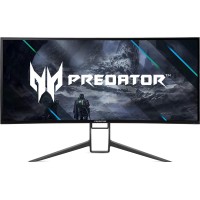
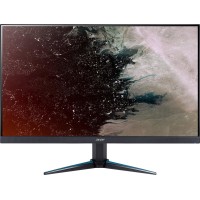
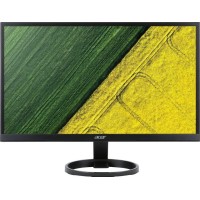
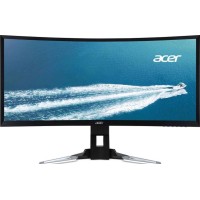
Acer KG241bii

Operating System
Operating System
my Home Screen 3.0
Screen
Screen
1231 mm, 48.4646 in
Weight
Weight
13.6 kg, 29.98 lbs
Pixel Density
Pixel Density
46 ppi
Resolution
Resolution
1920 x 1080 pixels

Acer KG241bii Prices


Acer KG241bii Key Specifications


Brand
Acer
Model
Acer KG241bii
Version
KG241bii
Category
Displays
Released Date
2018
Operating System
my Home Screen 3.0
Screen
1231 mm, 48.4646 in
Pixel Density
46 ppi
Resolution
1920 x 1080 pixels
Weight
13.6 kg, 29.98 lbs

Acer KG241bii Technical Specifications


Product Overview

Brand
Acer
Alias
KG241 bii
Model
Acer KG241bii
Category
Displays
Version
KG241bii

Design

ERGONOMICS

Features
  • VESA Mount
  • Detachable Stand
Vesa mount size
100 x 100 mm

BODY

Height (shorter side)
  • 676.2 mm
  • 26.622 in
Width (longer side)
  • 1137.2 mm
  • 44.7717 in
Thickness
  • 3.8268 in
  • 97.2 mm
Weight
  • 13.6 kg
  • 29.98 lbs
Height with stand (shorter side)
  • 734.2 mm
  • 28.9055 in
Width with stand (longer side)
  • 1129.2 mm
  • 44.4567 in
Thickness with stand
  • 215.2 mm
  • 8.4724 in
Weight with stand
  • 15.7 kg
  • 34.61 lbs
Colors
Black

Display

Resolution (h x w)
1920 x 1080 pixels
Screen area
84.2 %
Vertical viewing angle
178 °
Type
IPS
Color depth
8 bits
Backlight
Direct LED
Size
24 in
Resolution
  • Full HD
  • 1080p
Horizontal viewing angle
178 °
Pixel density
46 ppi
Refresh rate (digital)
  • 50 Hz
  • 60 Hz
Pixel pitch
  • 0.265 mm
  • 0.0104 in
Aspect ratio
  • 1.778:1
  • 16:9
Height
  • 603.512 mm
  • 23.7603 in
Diagonal
  • 1231 mm
  • 48.4646 in
Width
  • 1072.91 mm
  • 42.2405 in
Number of colors
  • 16777216 colors
  • 24 bits

Internal Components

POWER

Maximum power usage
131 W
Average power usage
95 W
Energy rating
A
Power usage in sleep mode
0.5 W
Power usage when off
0.3 W
Voltage
220 V - 240 V
Frequency
50 Hz - 60 Hz

SOFTWARE

Operating systems supported
my Home Screen 3.0
Image file formats supported
  • JPEG
  • GIF
  • PNG
  • MPO
Video file formats supported
  • 3GPP (3rd Generation Partnership Project, .3gp)
  • AVI (Audio Video Interleaved, .avi)
  • Flash Video (.flv, .f4v, .f4p, .f4a, .f4b)
  • H.263
  • H.264
  • MPEG-4 Part 10
  • AVC video
  • H.265
  • MPEG-H Part 2
  • HEVC
  • MKV (Matroska Multimedia Container, .mkv .mk3d .mka .mks)
  • QuickTime (.mov, .qt)
  • MP4 (MPEG-4 Part 14, .mp4, .m4a, .m4p, .m4b, .m4r, .m4v)
  • TS (MPEG Transport Stream, .ts, .tsv, .tsa)
  • VP9
  • VOB (Video Object, .VOB)
  • VRO (DVD-VR, .VRO)
  • WMV (Windows Media Video, .wmv)
Additional features
  • Bright Panel
  • High Contrast
  • Picture-and-Text
  • Voice command

TV TUNER

Technologies supported
  • DVB-T
  • Analog (NTSC/PAL/SECAM)
  • DVB-T2
  • DVB-C

AUDIO

Built-in speakers
2 x 18 W
Supported file formats
  • AAC (Advanced Audio Coding)
  • FLAC (Free Lossless Audio Codec, .flac)
  • MP3 (MPEG-2 Audio Layer II, .mp3)
  • WMA (Windows Media Audio, .wma)
  • WAV (Waveform Audio File Format, .wav, .wave)
Additional features
Cinema Suround

WIRELESS

Technologies supported
  • LAN
  • Wi-Fi
  • 802.11a (IEEE 802.11a-1999)
  • 802.11b (IEEE 802.11b-1999)
  • 802.11g (IEEE 802.11g-2003)
  • 802.11n (IEEE 802.11n-2009)
  • 802.11n 5GHz
  • DLNA

Not available

Module
Front Camera
FRC Display
FRC Display
3D (Three-Dimensional) Display
3D Display
Left & right swivel
Left & Right Swivel
Landscape & portrait mode pivot
Pivot for Landscape & Portrait Mode
Forward & backward tilt
Forward & Backward Tilt
Adjustable height
Adjustable Height
XZ350CUbmijphz
3840 x 2160 pixels
Smart TV
99 ppi
KA242Y Bbmiix
3840 x 2160 pixels
142 ppi
5.25 kg, 11.57 lbs
V247Ybip
1920 x 1080 pixels
92 ppi
3.57 kg, 7.87 lbs
R241Y
2560 x 1440 pixels
92 ppi
R221Q Bbix
3840 x 2160 pixels
Amazon Fire TV
105 ppi
7.8 kg, 17.2 lbs
Predator X34 GS
3840 x 2160 pixels
VIDAA U2.5
92 ppi
10.5 kg, 23.15 lbs
Nitro VG270U Abmiipx
2560 x 1440 pixels
109 ppi

User Reviews for Acer KG241bii


Share your thoughts!
Whether you own this device, have tried it before, or even just know about it from friends or reviews, we want to hear from you! Your input helps others understand the device better and make informed decisions. Don’t underestimate the value of your opinion—every comment matters and adds a personal touch that benefits everyone. Share your experience or insights now!
Your Name
Your Comment